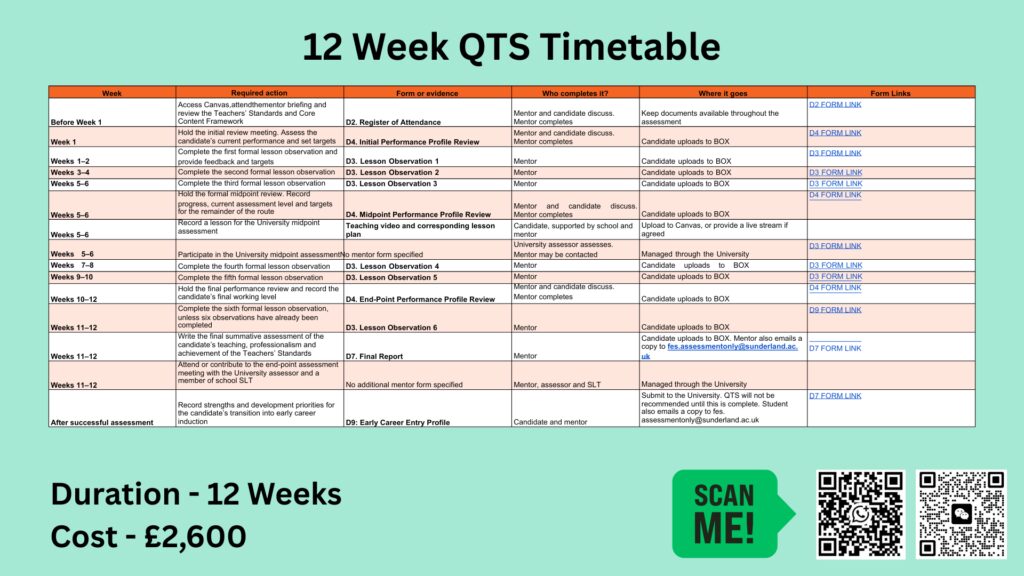
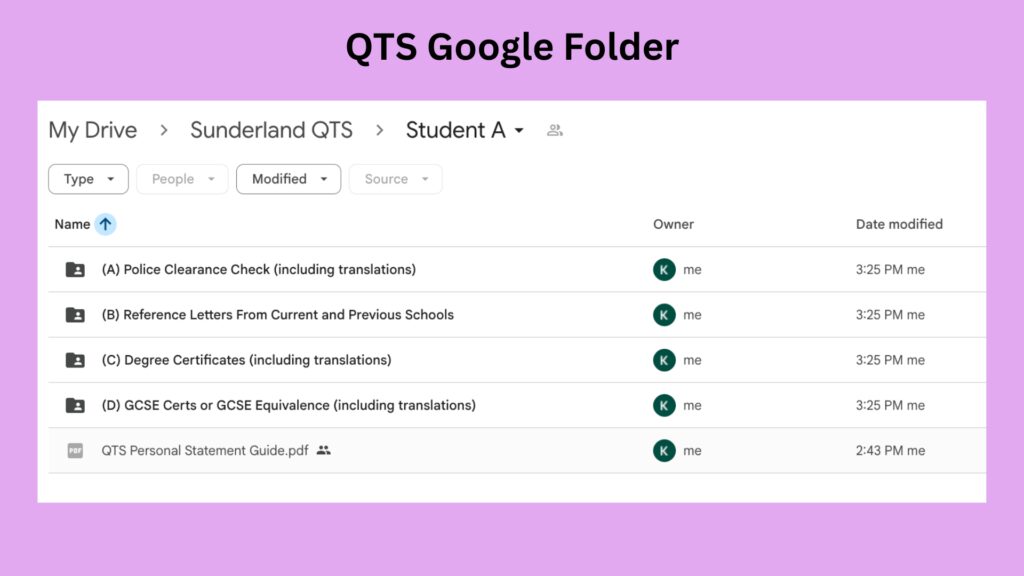
Welcome to your QTS application preparation guide. The videos and resources below will help you complete each section correctly, organise your supporting evidence and avoid common delays. Work through the sections in order and use your Google Drive folder alongside this guidance.
Stage 1 – Once you have begun preparing the paperwork
Section 1: Police Clearance Check (FROM YOUR CURRENT LOCATION)
Provide a local police clearance certificate issued within the last six months. Check that your name and personal details match your application. Translate with AI into English.
Section 2: Employer References (USE THE TEMPLATES!)
Submit two reference letters from your current and previous employers using the templates in your Google Drive folder. Both references must be accurate, signed, and completed by authorised school representatives.
Use the guidance in the Google Drive folder. Explain your teaching experience, professional development, and reasons for seeking QTS, supported by specific examples from your practice.
Watch The Personal Statement Reference Guide
Section 4: Degree Certificates and Translations (DO NOT DO ENIC!)
Upload clear copies of your degree certificate and academic transcript. Documents not issued in English must include a translation (USE AI). Sunderland will complete the ENIC equivalency check free of charge.
Section 5: GCSEs or Equivalent Qualifications
Provide evidence that you meet the required GCSE standard in English and mathematics. Primary applicants must also provide science. If you are unsure whether your qualifications are equivalent, contact us before arranging additional tests.
Stage 2 – Once you have been invited to interview
Once your interview has been confirmed, focus on preparing your evidence portfolio and PowerPoint presentation.
Section 6: QTS Evidence Portfolio and Interview PowerPoint
Organise your evidence against the Teachers’ Standards using the template in your folder. Give each item a clear title and a brief explanation of what it demonstrates. Strong, relevant evidence matters more than volume.
Use the QTS Support Tutor to review, label and organise your evidence against the Teachers’ Standards.
Provide a clear title, description and context for every item you upload.